

Description
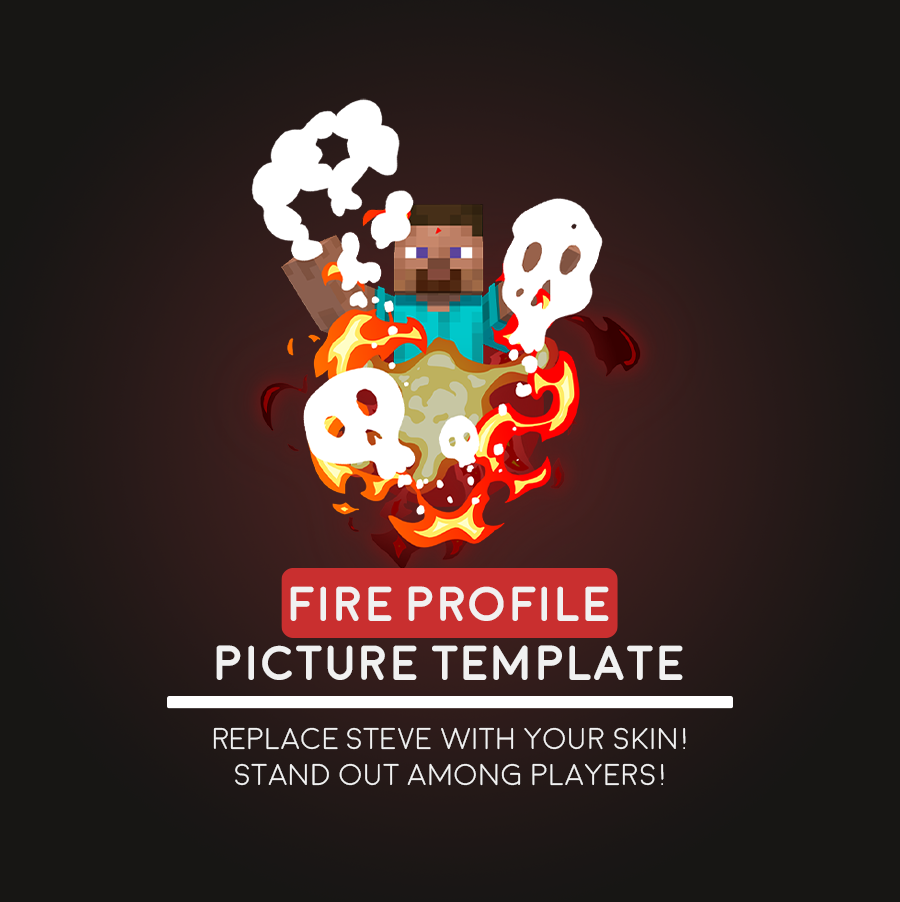
Put your Minecraft skin at the center of a fire-themed profile picture. Orange flames and white skull-shaped smoke frame the character, with a square composition made for Discord, YouTube, forums, and store profiles.
What’s included
- Editable Photoshop template (PSD) for the finished composition.
- Mine-imator project for rendering your own Minecraft skin.
- Ready-to-use Steve and Alex exports.
- Step-by-step instructions for swapping the skin and exporting your avatar.
Make it yours
- Open the Mine-imator project, swap in your skin, and render your character.
- Bring the render into the editable composition in Photoshop or Photopea.
- Export your finished square avatar for the profile or community you want to use it on.
Tools: Photoshop or the free browser-based Photopea for the PSD. Mine-imator is used if you want to render your own skin. The included Steve and Alex exports can be used as-is.
This is a self-edit digital download, not a custom design service. For help getting your files, see Download Help.